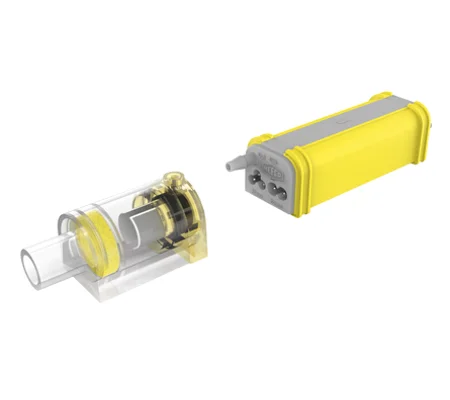
Electronic Float Switch for Ductless Mini Splits- WI-FI Alerts, 110v-230v, Auto-Alert
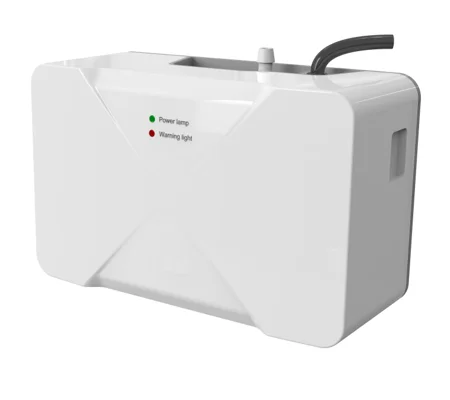
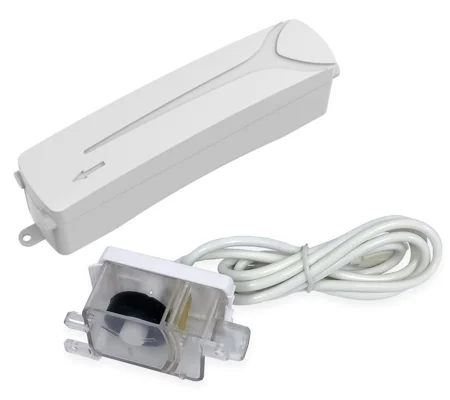
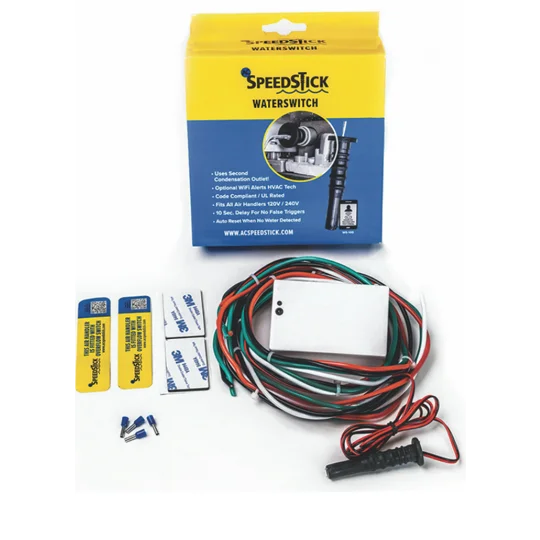
This Electronic Float Switch for Ductless Mini Splits is the ultimate accessory for your HVAC system! Designed for seamless integration, the SPEEDSTICK WS-100 ensures your air handler operates smoothly by preventing water overflow. With its easy installation, simply insert the sensor into the alternate drain outlet and enjoy peace of mind. Plus, the optional Wi-Fi alerts keep your HVAC tech in the loop when triggered, so you re always informed. This UL Listed float switch fits all air handlers from 110V to 230V and features a 10-second delay to eliminate false alarms. It auto-resets when the water level recedes, and the wire colors match OEM wiring for a clean look. With a handy green/red status LED and a blue Wi-Fi LED, you ll always know the status of your system. Upgrade your setup with this reliable float switch for ductless mini splits and keep your home safe and dry!
Speedstick WS-100
Complete wiring, mounting, and sensor setup guide for your WS-100 condensate safety switch
Key Features
|
✅ Sensor inserts directly into alternate drain outlet 📶 Optional Wi-Fi alerts HVAC tech when triggered 🏅 UL Listed — UL508 ⚡ Fits all air handlers 120V – 240V ⏱️ 10-second delay eliminates false alarms 🔄 Auto-resets when water level recedes 🎨 Wire colors match OEM wiring 📏 Leads accommodate large air handlers 🟢 Green/Red status LED 🔵 Blue Wi-Fi LED |
📄 Downloads
|
|
|
|
|
|
|
1. Mounting the Electronics Module
Inside the Air Handler (Concealed)
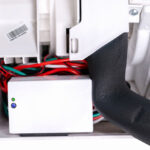
Position the module inside the air handler and secure it in place — together with the wires — using tape and/or cable ties.
example.
 |
 |
 |
On the Exterior of the Air Handler (Exposed)
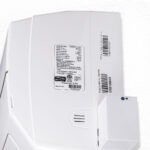
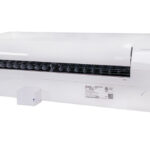
The module can be attached to either of the vertical side panels or to the bottom of the air handler. Position it with the mounting clip, then secure it in place by applying the supplied double-sided tape to the epoxy underside of the module.
 |
 |
 |
 |
 |
OR Inside a Line Set Cover (Concealed)
Secure the module — together with the wires — in place using tape and/or cable ties.
2. Wiring
|
1. Ensure power is shut off at the adjacent disconnect switch or main breaker. 2. Consult the air handler's installation manual to select the correct terminals. 3. Connect the power and communication wires to the input side of the module using wire nuts. Note: the white communication wire passes through the module. If the wiring diagram requires the communication wire from the condenser to the air handler to be uninterrupted, bypass the module with the communications wire. 4. Connect the output wires from the module to the air handler power input terminals. |
|
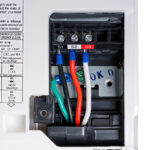
💡 Installation Tip: Japanese and Korean brands (Mitsubishi, Daikin, Samsung) use a red wire as their communication wire — our module uses a white communication wire. See the reference photo below. |
3. Inserting the Water Sensor Probe
|
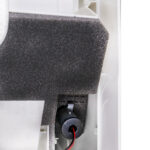
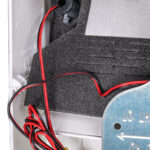
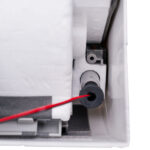
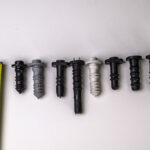
All ductless air handlers are fitted with 2 drain outlets — one at each end — to provide flexibility in positioning the condensate drain hose, which can be connected to either outlet. Remove the rubber plug from the unused drain outlet and insert the rubber sensor probe into it, ensuring it's securely seated to provide a leak-free connection. Different brands have different-length auxiliary plugs. Our probe is almost an inch longer than most plugs — push it in as far as you can. It's OK to wet or lubricate the probe for easier fitment, but be careful not to get any lubricants on the metal probe contacts. |
 |
 |
 |
 |
 |
 |
4. Commissioning & Testing
|
1. Turn the power on at the breaker or disconnect switch. 2. The module LED will illuminate Green. If it doesn't illuminate green, switch off power and check the wiring. 3. Once the LED is green, power on the air handler. If the air handler doesn't turn on, switch off power and check the wiring. 4. To prevent false alarms, a continuous contact of 10 seconds across the 2 sensor pins is required before the air handler switches off. |
|
✅ How to Test: Remove the probe from the drain outlet and short across the sensor pins with water or a metallic conductor. After 10 seconds, the LED will illuminate Red and the air handler should stop. Remove the water or metal from the pins — the air handler should start up again. Replace the probe securely in the drain outlet. |
🎥 Video Walkthroughs
| Title | Electronic Float Switch for Ductless Mini Splits- WI-FI Alerts, 110v-230v, Auto-Alert |
|---|---|
| Brand | Speedstick |
| Category | Accessories |
| SKU | WS-100 |
| Condition | new |